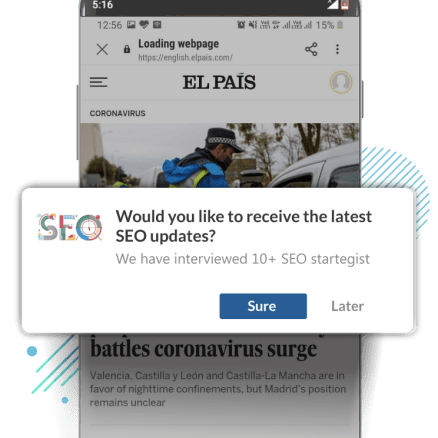
Interrupt politely
Nobody likes interruptions. Bombarding readers with a subscription prompt on page load will annoy them. Give them some breathing space before you display the prompt.

Set expectations
Back the notification prompt with some context. Tell them exactly the kind of notifications you will send and what they can expect from you.

Deliver what you promised
Send notifications that are contextual and relevant. Live up to the expectations you set when you had asked them to subscribe.


Don't show prompt on page load
Look at your avg session time on GA. if its around a min, adding around 5 secs of delay helps. if the session time is more around 2-3mins, you can actually further extend it to 10-15secs of delay.
On page scroll
Nudge on 20%-30% scroll of a page (You can do this using Google Tag Manager and set triggers and show the push notification opt-in once the user has scrolled to a certain point on the page)
When clear intent is shown
For every article completion, place a call to action button at the end of the article asking them to subscribe. Since they have read the article to completion, then chances of them subscribing are more.
Trigger prompt on exit intent
Display the prompt when the reader plans to abandon the website. This grabs thier attention and if you craft a catchy copy, you can make them subscribe to get updates even when they are not on the webiste.
Don't show prompt on page load
Look at your avg session time on GA. if its around a min, adding around 5 secs of delay helps. if the session time is more around 2-3mins, you can actually further extend it to 10-15secs of delay.

On page scroll
Nudge on 20%-30% scroll of a page (You can do this using Google Tag Manager and set triggers and show the push notification opt-in once the user has scrolled to a certain point on the page)

When clear intent is shown
For every article completion, place a call to action button at the end of the article asking them to subscribe. Since they have read the article to completion, then chances of them subscribing are more.

Trigger prompt on exit intent
Display the prompt when the reader plans to abandon the website. This grabs thier attention and if you craft a catchy copy, you can make them subscribe to get updates even when they are not on the webiste.


For different news categories
Customize your prompts and display different prompts for different categories like Sports, Politics, Technology
Prompt in the languages you have content in
Reach out to readers in a language they are familiar and comfortable in.
Add the user's location tag
Create the prompt that are location specific to catpure interest and encourage subscription.
For different news categories
Customize your prompts and display different prompts for different categories like Sports, Politics, Technology

Prompt in the languages you have content in
Reach out to readers in a language they are familiar and comfortable in.
Add the user's location tag
Create the prompt that are location specific to catpure interest and encourage subscription.